
A Complete Beginner-Friendly Blueprint for Launching Your Shopify Business Fast
If you’ve ever wanted to launch an online store but felt stuck, overwhelmed, or confused about where to start — this guide will change everything. Most people assume building a Shopify store takes weeks, complicated coding, or expensive developers. But that’s not true.
Today, I’m going to show you exactly how I built a fully functional, professional, conversion-ready Shopify store in only 48 hours — and how you can do the same, even if you’re a total beginner.
Whether you’re dropshipping, selling your handmade products, launching a brand, or starting a side hustle, this step-by-step guide will help you go from idea to launch in just two days.
Let’s get started.
Why 48 Hours Is Enough to Launch a Shopify Store
Most beginners take months because they:
- Don’t know what steps to follow
- Try random themes
- Use poor layouts
- Avoid apps
- Don’t understand store structure
- Overthink branding
- Get stuck on design
But a real Shopify expert uses:
- Pre-optimized workflows
- Conversion-ready templates
- The right apps
- Smart automation
- Proven layouts
Which is exactly what you’ll learn here.
With the right approach, 48 hours is more than enough to launch a store that looks professional, loads fast, and is ready to sell.
Day 1: Planning, Branding & Store Structure (Hours 1–24)
Hour 1–2: Pick Your Niche (Don’t Skip This)
The niche you choose will determine:
- Your branding
- Your homepage layout
- Your product type
- Your marketing strategy
Choose a niche that meets these conditions:
- People buy repeatedly
- High emotional appeal
- Good TikTok/Instagram potential
- Not overly saturated
- Products with good margins
Examples:
- Beauty
- Fitness
- Gadgets
- Pet supplies
- Home décor
- Fashion accessories
- Wellness
📝 Tip: Choose a niche with products priced between $20–$80 — the sweet spot for online sales.
Hour 3–4: Create Your Brand Identity
You only need four elements:
- Brand Name
- Logo
- Colors
- Fonts
Use tools like:
- Namelix (brand name ideas)
- Looka (logo inspiration)
- Coolors.co (color scheme)
- Shopify brand kit
🟢 Best Shopify Colors:
Green, black, white, beige, soft gold, pastel tones.
Hour 5–6: Get Your Shopify Account Ready
Sign up for Shopify’s trial and choose a plan later.
Then set:
- Store name
- Time zone
- Checkout settings
- Payment gateways (PayPal + Stripe)
- Store currency
You’ll set up the rest in Day 2.
Hour 7–10: Install a High-Converting Theme
Not all themes convert well.
Best FREE theme for beginners:
- Dawn Theme (Official Shopify)
Best PAID themes:
- Impulse
- Motion
- Refresh
- Streamline
These themes are:
- Fast
- Mobile optimized
- Proven to convert
- Easy to customize
Hour 11–14: Build Your Homepage Framework
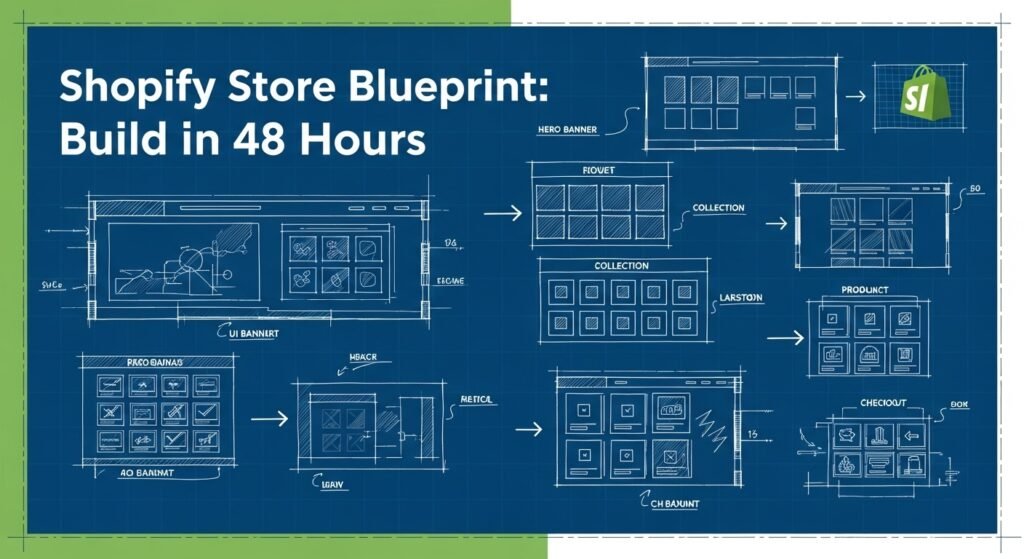
Your homepage must follow this proven structure:
✔ Hero Banner
- Clear headline
- Strong CTA (“Shop Now”)
- Clean product image
✔ Featured Products
Show bestsellers immediately.
✔ Collection Highlights
3–4 product categories.
✔ Why Choose Us
Trust badges, guarantees.
✔ Testimonials
Social proof builds trust.
✔ Footer
Policies + contact info.
📝 Most beginners make the mistake of creating a “pretty” homepage instead of a “conversion optimized” one. Follow the structure above — it works every time.
Hour 15–16: Create Essential Store Pages
These are mandatory pages:
- About Us
- Contact Us
- FAQ
- Shipping Policy
- Refund Policy
- Privacy Policy
- Terms of Service
Shopify auto-generates most of them — just customize the language.
Hour 17–20: Add 5–10 Products
Choose:
- High-quality images
- Clear titles
- Simple descriptions
- A+ mockups
- Videos if possible
Your product page must include:
🟢 Perfect Product Page Structure
- Title
- Price
- Features
- Benefits
- Images + video
- Variants
- Add-to-cart button
- Reviews
- Warranty/trust badges
- Shipping info
- FAQ
📝 Focus on BENEFITS, not features.
Hour 21–24: Set Up Collections
Group your products into:
- Bestsellers
- New arrivals
- Category-based collections
- Seasonal collections
Now your store feels organized.
Day 2: Optimization, Apps & Launch (Hours 25–48)
Hour 25–26: Install the Best Shopify Apps
You only need 5–6 apps:
Must-Have Apps
- Loox (reviews)
- Judge.me (free review alternative)
- Klaviyo (emails)
- Dsers (dropshipping)
- PageFly (optional for landing pages)
- Sticky Add to Cart
Apps improve trust, speed, and conversions.
Hour 27–30: Write High-Converting Copy
Focus on:
- Storytelling
- Customer pain points
- Product benefits
- Emotional appeal
Example headline:
“Designed for comfort. Built for confidence.”
This matters more than fancy design.
Hour 31–33: Customize Checkout Settings
Enable:
- Express checkout
- PayPal
- Shop Pay
- Google Pay
Disable:
- Unnecessary fields
- Long forms
A clean checkout = higher conversions.
Hour 34–36: Mobile Optimization
80–90% of Shopify traffic comes from mobile.
Check:
- Text sizes
- Buttons
- Product images
- Add-to-cart visibility
- Speed performance
Your entire store must load in under 3 seconds.
Hour 37–40: Launch Email Automations
Use Klaviyo or Shopify Email to set up:
- Abandoned cart flow
- Welcome flow
- First purchase flow
- Product review request
Automation = passive income.
Hour 41–44: Add Trust Builders
To make your store look real, add:
- Social proof
- Testimonials
- Guarantees
- Return policy blocks
- Security badges
These increase trust instantly.
Hour 45–46: Final Review Checklist
Ask yourself:
- Is the homepage clean?
- Are product pages professional?
- Does the checkout look simple?
- Are taxes and shipping correct?
- Are apps working?
- Does everything work on mobile?
Fix anything that feels off.
Hour 47–48: Launch Your Store
Congratulations — your store is ready.
Now you can start:
- Pinterest ads
- TikTok ads
- SEO
- Influencer marketing
- Email campaigns
Your Shopify store is now fully functional — built in only 48 hours.
Bonus: How You Can Launch Even Faster
If you want a Shopify store built:
- Faster
- Better
- More professional
- Fully optimized
- With winning products
- With high-conversion design
Then I offer complete Shopify Store Setup Services.
You get:
- Custom branding
- Homepage + product pages
- SEO setup
- Winning product list
- Professional design
- Apps automation
- High-converting layout
- Mobile optimization
- 7 days free support
Just tell me:
“I want a Shopify store setup.”
Final Words
Building a Shopify store in 48 hours isn’t magic — it’s a process. If you follow the steps above, you’ll have a clean, professional, and revenue-ready store that looks like it was created by an expert.
And if you ever want a done-for-you store setup… I’ve got you.