
Introduction
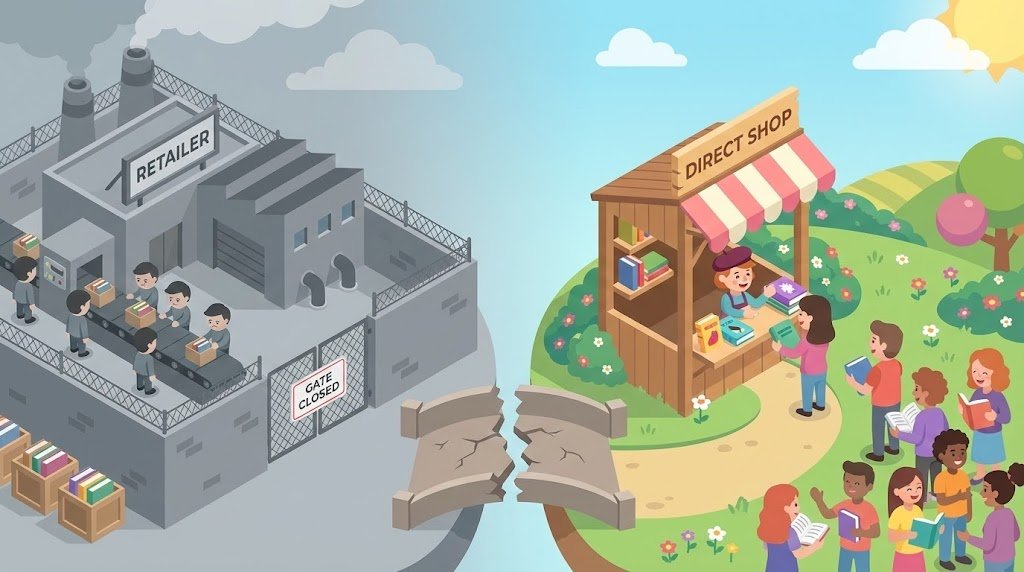
It is the indie author’s paradox: You have never had more freedom to publish, yet you have never been more dependent on a single landlord.
For the last decade, the path for most self-published authors was linear. You write the book, you upload it to Kindle Direct Publishing (KDP), you enroll in KDP Select for the marketing boost, and you wait for the royalties to trickle in 60 days later. While convenient, this model—often called the “Amazon Trap”—comes with a steep price tag.
When you sell exclusively through major retailers, you are handing over 30% to 70% of your earnings. Worse, you are building a business on rented land. You do not know who bought your book. You don’t have their email address. You cannot retarget them for your next launch. If the algorithm changes tomorrow, your income evaporates.
There is a shift happening in the publishing industry.
In 2025, the savviest authors are moving toward Direct Sales. They are transforming their author websites from static billboards into active storefronts. They are selling EPUBs, audiobooks, and signed paperbacks directly to readers, keeping 90-95% of the profit and, crucially, owning the customer data.
But the technical barrier is real. Authors are writers, not web developers. The fear of file delivery failures, tax compliance, and “tech headaches” keeps many locked in the retailer ecosystem.
The Promise: This article cuts through the noise. We are not just listing random ecommerce plugins; we are reviewing the 5 best WordPress plugins specifically tailored for selling ebooks. We will cover how to protect your files, how to automate delivery, and how to build a store that runs while you sleep.
Why Authors Should Sell Directly (The Business Case)
Before we dive into the “how,” we must establish the “why.” Moving sales to your WordPress site isn’t just a rebellious act; it is a superior business model.
1. The Margin Math
Let’s look at the numbers for a standard $4.99 ebook.
- On Amazon (70% Royalty): You keep roughly $3.49 (minus “delivery fees” based on file size).
- On Amazon (35% Royalty – below $2.99 or international): You keep $1.74.
- Direct Sales (WordPress + Stripe): You pay roughly 2.9% + 30¢ per transaction. On a $4.99 book, you keep roughly $4.54.
That is an extra dollar per unit. On 1,000 sales, that is $1,000 in your pocket, not Jeff Bezos’s.
2. Data Ownership: The “Newsletter First” Strategy
When a reader buys from a retailer, they are the retailer’s customer, not yours. You have to hope they read the back-of-book CTA and sign up for your newsletter.
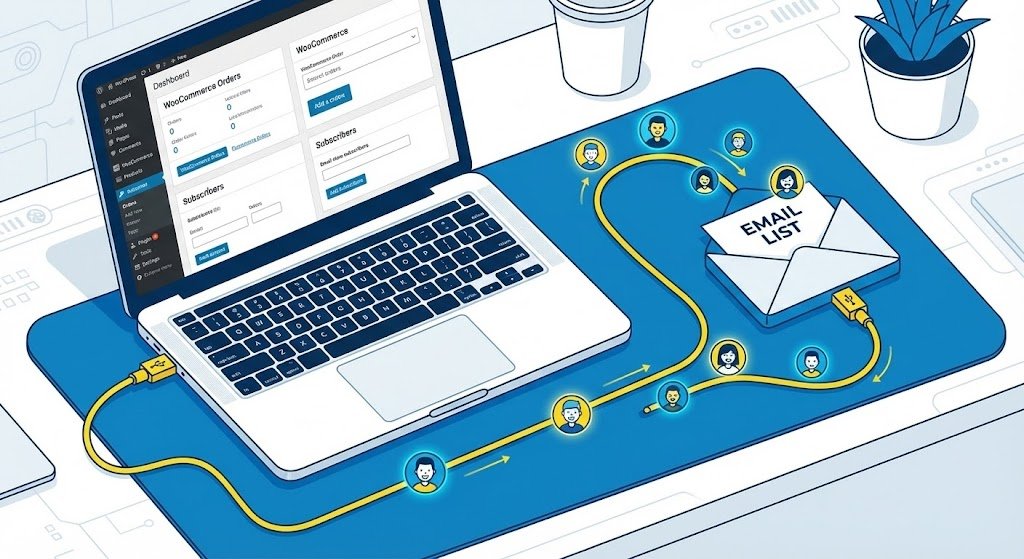
When they buy from your WordPress site, they are on your list automatically. You can tag them in your email marketing software as a “Buyer” rather than a “Freebie Seeker.” This data is the most valuable asset in an author’s career.
3. Instant Cash Flow
Retailers typically pay on a net-60 basis. The book you sell in January won’t put money in your bank account until the end of March.
With a direct sales plugin on WordPress connected to Stripe or PayPal, you are often paid daily or within 48 hours. This liquidity allows you to reinvest in ads immediately, scaling your launches faster.
4. Freedom of Formats
Want to sell a bundle of your first three audiobooks? Amazon won’t let you. Want to sell a high-resolution PDF workbook for your non-fiction title? Difficult on KDP. Direct sales allow you to sell MP3s, uncompressed audio, PDF workbooks, and EPUBs in a single zipped folder, creating a “Box Set” value that retailers can’t match.

How to Choose the Right Plugin: Key Criteria
Not all ecommerce plugins are built for authors. A plugin designed to sell T-shirts might be terrible for selling digital files. Here is the criteria we used for this guide:
1. Ease of Use (The “Writer-Friendly” Factor)
You should not need to know PHP or CSS to sell a book. The dashboard should be intuitive. If setting up a product takes more than 10 minutes, the plugin fails this test.
2. File Protection: DRM vs. Watermarking
This is a major concern for authors: “If I sell direct, will my book end up on pirate sites?”
- Hard DRM (Digital Rights Management): This locks the file so it can only be opened on specific devices. Avoid this. It frustrates paying readers who want to sideload the book to their preferred e-reader.
- Social DRM (Watermarking): This is the industry standard for direct sales. It stamps the buyer’s name and email address onto the PDF or EPUB invisible metadata. It discourages piracy without punishing the legitimate buyer. We prioritize plugins that support this.
3. Automated File Delivery
The “nightmare scenario” for an author is waking up to 50 emails from angry readers who paid but didn’t get their book. The plugin must send a secure, expiring download link instantly. Ideally, it should integrate with BookFunnel or Prolific Works for seamless delivery support.
4. Global Payment Gateways
Your readers are global. The plugin must integrate seamlessly with Stripe (credit cards), PayPal, and modern wallets like Apple Pay and Google Pay to reduce friction at checkout.
The 5 Best WordPress Plugins to Sell Ebooks Directly

Here are the top contenders for 2025, ranked by their utility for the author business model.
1. Easy Digital Downloads (EDD)
Best For: Authors who want a clean, dedicated digital bookstore without the bloat.
Easy Digital Downloads is exactly what it says on the tin. Unlike other plugins that try to be everything to everyone, EDD focuses solely on selling digital files. This makes it lighter, faster, and easier to configure for ebooks.
Key Features for Authors:
- Zero Shipping Settings: You won’t be bogged down by “shipping zones” or “inventory management” tabs.
- Customer Management: It builds a database of every customer, allowing you to see their “Lifetime Value” (how many books they’ve bought over time).
- Discount Codes: Easily create coupons like
VIPREADERfor your newsletter subscribers to get 20% off. - File Access Control: You can limit how many times a file can be downloaded (e.g., 5 times) to prevent link sharing.
The “BookFunnel” Connection:
EDD has a dedicated (free or paid) integration with BookFunnel. When a reader buys the book on your site, BookFunnel automatically emails them the download link and handles the tech support if they don’t know how to get it onto their Kindle.
Pros: Lightweight, purpose-built for digital, great reporting.
Cons: The core plugin is free, but essential extensions (like Recurring Payments for subscriptions or MailChimp integration) often require a paid “Pass” which can be pricey ($99+/year).
2. WooCommerce
Best For: Authors who also sell signed paperbacks, merchandise (mugs/shirts), or want maximum scalability.
WooCommerce is the 800-pound gorilla of WordPress ecommerce. It powers millions of stores. If you plan to be a “hybrid” seller—shipping signed copies from your garage while selling ebooks automatically—this is your best choice.
Key Features for Authors:
- Virtual/Downloadable Products: You can tick two boxes in the product setup to remove shipping costs and enable file delivery.
- The Ecosystem: Because it is so popular, there is an extension for everything. Want to calculate VAT automatically? Use WooCommerce Tax. Want to let users “Name Their Price”? There’s a plugin for that.
- Marketing Integrations: Integrates deeply with Facebook Ads, Google Listings, and almost every email marketing platform (MailerLite, ConvertKit, ActiveCampaign).
The Warning: WooCommerce is heavy. It adds many database tables to your site. If you are on cheap shared hosting, it might slow your site down. You need a good caching plugin and decent hosting to run Woo smoothly.
Pros: Infinite customization, huge community support, handles physical goods perfectly.
Cons: steeper learning curve; “feature bloat” can be overwhelming for a simple ebook store.
3. MemberPress
Best For: Authors building a “Reader’s Club,” Patreon-style subscription, or serialized fiction.
If your goal is recurring revenue rather than one-off sales, MemberPress is the industry leader. Instead of selling “Book 1,” you sell “Access to the VIP Library.”
Key Features for Authors:
- Content Protection: You can lock specific pages or posts. This is perfect for serialized fiction (posting one chapter a week that only paying members can read).
- Drip Content: You can release content over time. When a user joins, they get Book 1 immediately, Book 2 after a month, etc.
- Subscription Management: Handles upgrades, downgrades, and failed credit card payments automatically.
Pros: Best-in-class for subscriptions and memberships; protects content, not just files.
Cons: It is a premium plugin (no free version); overkill if you just want to sell a single PDF.
4. Ebook Store (by ShopFiles/Motov.net)
Best For: A simple, visual-first approach for non-techies.
While EDD and Woo are generalist tools, the “Ebook Store” plugin is niche-specific. It is designed to visualize books. If you want a checkout experience that looks like a sleek library rather than a generic shop, this is a strong contender.
Key Features for Authors:
- 3D Previews: It automatically generates a 3D book cover effect and allows a “Look Inside” preview (like Amazon) for PDF/images.
- Watermarking (Pro Version): It has built-in PDF encryption and QR code watermarking with the customer’s info.
- One-Click Checkout: The user flow is optimized for single-item purchases, reducing cart abandonment.
Pros: Visually stunning; built-in watermarking handles security well.
Cons: Smaller developer community than Woo/EDD; fewer third-party integrations (e.g., might be harder to connect to niche email providers without Zapier).
5. SureCart
Best For: The modern, performance-obsessed author.
SureCart is a newer entrant that is disrupting the WordPress ecommerce space. Unlike Woo or EDD, which process everything on your server (slowing it down), SureCart processes the checkout on their cloud servers while keeping the storefront on your site. This is a “Headless” ecommerce approach.
Key Features for Authors:
- Drag-and-Drop Checkout Forms: You can build a beautiful, single-page checkout specifically for your book launch without code.
- EU VAT Handling: SureCart has built-in tax calculation features that are often paid add-ons in other plugins.
- Zero Database Bloat: Since the heavy lifting happens on their cloud, your author blog remains lightning fast.
Pros: Modern interface, fast, great free plan features.
Cons: Newer ecosystem (fewer third-party addons); data is partly stored on their cloud (though you still own it).
Comparison: WooCommerce vs. Easy Digital Downloads for Authors
This is the most common debate. Here is the breakdown to help you decide.
| Feature | Easy Digital Downloads (EDD) | WooCommerce |
| Primary Focus | Digital files (Ebooks, Audio) | Everything (Physical + Digital) |
| Ease of Setup | High. Ready in 15 mins. | Medium. Wizard helps, but many settings. |
| Server Load | Low. Very lightweight. | High. Can slow down cheap hosting. |
| Selling Signed Copies | Difficult (Needs addons). | Native. Perfect shipping tools. |
| Extensions Cost | Can be expensive ($99-$199/yr). | Many free options, but official ones cost $. |
| BookFunnel Integration | Yes (Native). | Yes (Native). |
| Verdict | Choose EDD if you only sell ebooks/audio. | Choose Woo if you plan to sell merch/paperbacks. |
Essential “Sidekick” Tools for Your Store
A plugin alone does not make a business. To actually sell books, you need these three supporting tools connected to your WordPress store.
1. Email Marketing Integration (WP Fusion)
You aren’t selling direct just for the money; you are doing it for the data. You need a tool that connects your store to your email list (ConvertKit, MailerLite, MailChimp).
- The Goal: When someone buys The Elf Queen, they should be automatically tagged “Buyer – Fantasy” in your email list.
- The Tool: WP Fusion is the best bridge plugin for this. It works with EDD, Woo, and MemberPress. It syncs your customers to your CRM so you can automate a “Thank You” sequence or ask for a review 7 days later.
2. SEO Plugins (RankMath or Yoast)
Your book’s sales page needs to rank when someone Googles your name or the book title.
- The Tool: RankMath is excellent for WooCommerce and EDD. It adds “Product Schema” to your pages, which helps Google display the price and “In Stock” status directly in the search results.
3. Caching & Speed (WP Rocket)
Amazon loads in milliseconds. If your author shop takes 5 seconds to load, you lose the sale.
- The Tool: WP Rocket or a free alternative like W3 Total Cache. Ensure you exclude the “Checkout” and “Cart” pages from caching (most plugins do this automatically) so the transaction process doesn’t break.
Step-by-Step: Setting Up Your First Ebook for Sale
Let’s walk through the workflow of setting up a product using Easy Digital Downloads (though the logic applies to WooCommerce too).
Step 1: Prepare Your Files
Do not just sell a PDF. Readers want to read on their Kindle or Kobo.
- The Bundle: Create a
.zipfile containing an EPUB (industry standard for all e-readers) and a PDF (for tablets/phones). - Note on MOBI: Amazon has phased out MOBI for uploading, but some legacy Kindles use it. Generally, an EPUB is sufficient for 99% of readers now that “Send-to-Kindle” supports EPUB.
Step 2: Create the “Download”
In your WP Dashboard, go to Downloads > Add New.
- Title: Book Title: A Fantasy Novel
- Description: This is your sales copy. Do not just paste the back blurb. Add bold headers, bullet points of tropes (e.g., “Enemies to Lovers,” “Slow Burn”), and editorial reviews.
- Pricing: Set your price.
- Strategy: If the book is $4.99 on Amazon, sell it for $4.99 on your site but include a “Bonus Chapter” or “Audio Commentary” to add value. OR, sell it for $3.99 and use the discount as an incentive to buy direct.
- File Upload: Upload your
.zipfile here.
Step 3: The Cover Image
Set the “Download Image” (Featured Image) on the right sidebar. Use a high-resolution 3D mockup (a book standing up) rather than just the flat 2D cover. This increases perceived value.
Step 4: Configure Payment & Test
Go to Downloads > Settings > Payments. Connect your Stripe account.
- Crucial Step:Buy your own book. Open an Incognito window, buy the book using a real credit card (or a 100% off coupon), and check two things:
- Was the checkout smooth?
- Did the email arrive with the download link within 2 minutes?
Frequently Asked Questions (FAQ)
1. Can I sell on Amazon and my own website at the same time?
Yes. The only time you cannot sell on your own site is if your book is enrolled in KDP Select (Kindle Unlimited). KDP Select demands 100% digital exclusivity.
- The Strategy: Many authors keep Book 1 in Kindle Unlimited to gather new readers, but sell Books 2, 3, and 4 “Wide” (on all platforms + their own site). Or, they “window” releases: sell direct for the first 30 days, then enroll in KU later.
2. Do I need an SSL Certificate?
Yes, absolutely. If you are processing payments or even collecting email addresses, your site needs to be https:// secure. Most hosts (SiteGround, Bluehost) provide a standard Let’s Encrypt SSL certificate for free. If you don’t have one, Stripe will not work.
3. How do I handle EU VAT taxes?
This is the scariest part for authors. If a buyer in Germany buys your ebook, you are technically responsible for collecting and remitting German VAT.
- The Easy Solution: Use a “Merchant of Record” (MoR) like Paddle or Lemon Squeezy (which have WP plugins). They act as the reseller, so they handle all the tax compliance for a slightly higher fee.
- The WordPress Solution: If using WooCommerce, the WooCommerce Tax plugin automates this. If using EDD, they integrate with Quaderno or TaxJar to calculate the tax at checkout.
4. What if the reader can’t get the file onto their Kindle?
This is the #1 customer support ticket.
- Recommendation: Use BookFunnel. You can upload your file to BookFunnel and paste the “Delivery Action” link into your WordPress purchase confirmation email. BookFunnel’s support team will literally walk your grandmother through sideloading the book onto her iPad. It is worth every penny of the $20/year subscription.
Conclusion
Building a direct sales store on WordPress is the single best investment you can make for your author career stability. It transforms you from a content supplier for Amazon into a true business owner.
While the tech can feel intimidating, plugins like Easy Digital Downloads and SureCart have made it accessible for non-technical writers. You don’t need to launch with your entire backlist. Start small.
Final Recommendation:
- If you want simplicity and only sell ebooks: Download Easy Digital Downloads.
- If you want to build a media empire with merchandise: Install WooCommerce.
- If you want to create a subscription income: Get MemberPress.