
Introduction
The Front Desk Bottleneck It’s 10:00 AM on a Monday. Your phone is ringing, a patient is waiting to be checked in, and your receptionist is stuck playing “phone tag” with a patient who called over the weekend. Meanwhile, three prospective patients just visited your website, couldn’t find a way to book an appointment instantly, and clicked “back” to find a competitor who offered that convenience.
This is the “front desk bottleneck.” It is the silent killer of dental practice growth. In 2025, missed calls and empty calendar slots are not just operational annoyances; they are direct leaks in your revenue stream.
The Digital Shift The healthcare landscape has shifted irrevocably. Patients today treat healthcare with the same consumer expectations they apply to Amazon or Uber. They want immediacy. They want transparency. And most importantly, they want to book their teeth whitening or check-up at 9:00 PM on a Sunday while watching Netflix—not just during your 9-to-5 operating hours.
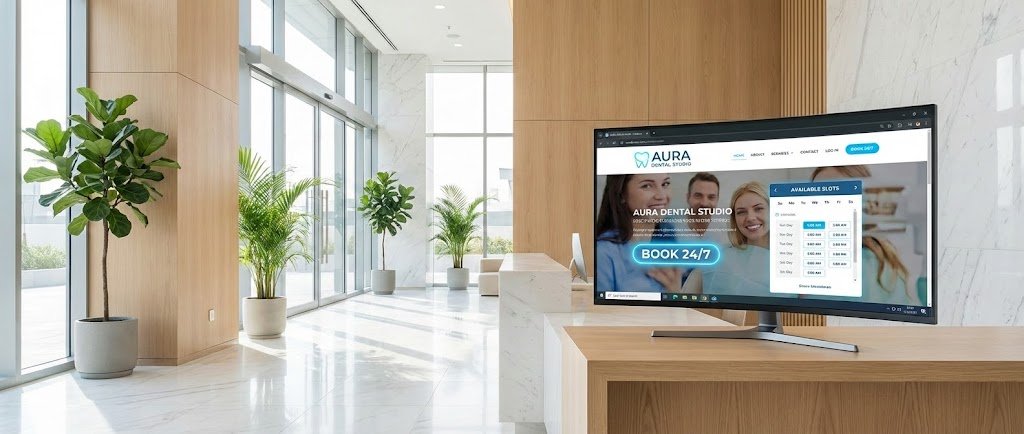
The Solution: Your 24/7 Digital Receptionist The solution isn’t hiring more staff; it’s upgrading your digital infrastructure. A WordPress website equipped with an automated booking engine acts as a 24/7 receptionist that never sleeps, never takes a lunch break, and never misses a potential lead.
Article Promise In this guide, we have tested and reviewed the 10 best WordPress themes for dental clinics available in 2025. These aren’t just “pretty” templates. We selected these themes based on their ability to convert visitors into patients, their speed (vital for Google rankings), and their seamless integration with automated booking systems. Whether you are a solo practitioner or a multi-location orthodontic franchise, one of these themes will help you fill your chair automatically.

Why Your Dental Website Needs Automated Booking (The Data)
Why “Booking Integration” is Non-Negotiable for Modern Dentists
Before we dive into the themes, it is crucial to understand why we prioritized booking capabilities above all else. In 2025, a “Brochure Website”—one that simply lists your hours and phone number—is obsolete.
1. The “After-Hours” Economy Recent scheduling studies indicate that approximately 40% of healthcare appointments are booked after standard business hours. If your website relies solely on a “Call Us” button, you are effectively closing your doors to nearly half of your potential patient base. Automated booking captures this traffic while your office is closed.
2. Patient Preference = Patient Retention According to recent consumer data, 67% of patients prefer online booking over calling a practice. The anxiety of being placed on hold, or the inconvenience of calling during work hours, drives patients toward clinics that offer a friction-less digital experience.
3. Operational Efficiency The average phone booking takes between 4 to 8 minutes of staff time. By offloading just 10 appointments a day to your website’s automated system, you save your front desk roughly an hour of work daily. This allows your staff to focus on the patients physically present in the clinic, improving the in-person experience and increasing reviews.
4. Reduced No-Shows via Automation The booking systems integrated into the themes below don’t just take appointments; they manage them. Most connect with automated SMS and Email reminders, which have been proven to reduce patient no-show rates by up to 29%.
Criteria: What Makes a “Best” Dental Theme?
Key Features to Look for in a Dental WordPress Theme
With thousands of WordPress themes available, how did we narrow this list down to the top 10? We used a strict 5-point criteria relevant to the medical industry in 2025.
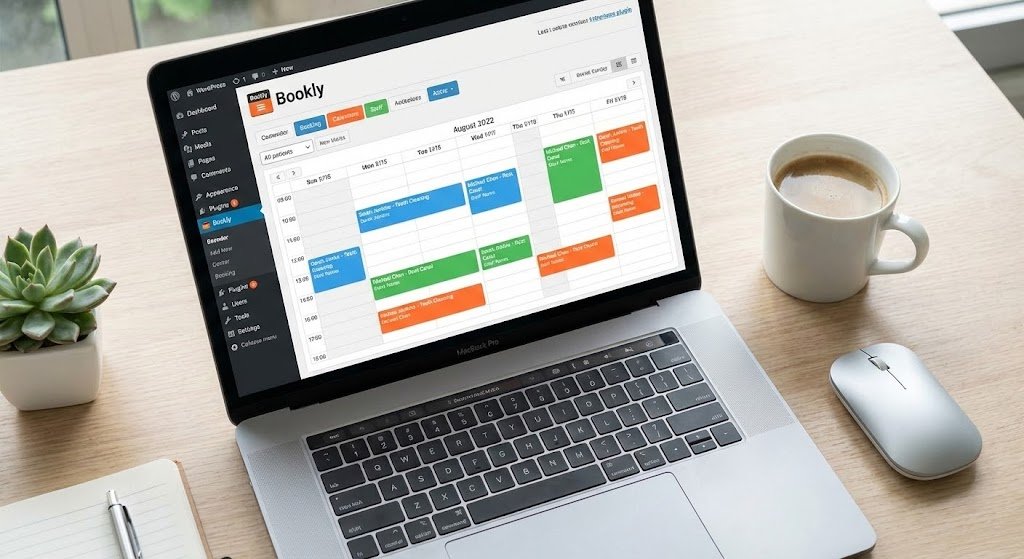
- 1. Native Booking vs. Plugin Compatibility Does the theme come with a built-in scheduler (like the Booked plugin), or is it coded to work seamlessly with industry giants like Amelia or Bookly? We prioritized themes that make the booking interface look native, not like a clunky add-on.
- 2. Mobile-First Indexing Google now predominantly uses the mobile version of the content for indexing and ranking. A theme that looks good on a desktop but breaks on an iPhone will hurt your local SEO. All themes on this list are fully responsive and mobile-optimized.
- 3. Speed & Performance (Core Web Vitals) Dental patients are often in pain or anxious; they are impatient. A slow website leads to high bounce rates. We looked for lightweight code that scores high on Google’s Core Web Vitals metrics.
- 4. Trust Signals & Design Elements Dentistry relies heavily on trust. The best themes include pre-built sections for “Meet the Team,” “Doctor Bios,” and “Before & After” galleries. These elements are essential for establishing E-E-A-T (Experience, Expertise, Authoritativeness, and Trustworthiness).
- 5. HIPAA Compliance Readiness Important Note: No WordPress theme is “HIPAA Compliant” out of the box because compliance depends on how you store data. However, the themes we selected support secure forms and are compatible with HIPAA-compliant booking plugins, ensuring you can build a compliant site.
The Top List: Best WordPress Themes for Dental Clinics
1. Divi (Dental Child Theme)
Best For: Complete customization and design freedom.
Overview: Divi is not just a theme; it’s a complete design framework. For dentists who want a website that looks completely unique and not like a “template,” Divi is the top choice. Its “Dental” layout pack is stunning, featuring clean whites and calming blues perfect for a clinical setting.
Booking Mechanism: Divi integrates with everything. While it doesn’t have a native booking engine, its module system allows you to embed shortcodes from Amelia, Bookly, or StartBooking effortlessly. You can style the booking form to match your brand colors exactly using the visual builder.
Key Features:
- Visual Builder: You can edit text, swap images, and move buttons just by clicking on them. No coding required.
- Split Testing: Divi comes with a built-in “Leads” tool that lets you A/B test your “Book Now” buttons to see which color or text gets more clicks.
- Global Elements: Change your phone number in the header once, and it updates across the entire site.
Pros: Unmatched design control; huge community support. Cons: Can be “heavy” on code; requires good hosting for top speed.
2. Astra (Dental Clinic Starter Template)
Best For: Speed, SEO performance, and Local Search rankings.
Overview: Astra is the fastest growing theme in the WordPress ecosystem for a reason: speed. The Dental Clinic starter template is lightweight (less than 50KB), meaning your site loads instantly. This is a massive advantage for Local SEO, helping you rank higher in “Dentist near me” searches.
Booking Mechanism: Astra is built to be “plugin agnostic.” It pairs perfectly with the Schema Pro plugin (from the same developers) to add “MedicalOrganization” schema markup to your booking page, helping Google understand your appointment slots.
Key Features:
- Fastest Load Times: Consistently scores 95+ on Google PageSpeed Insights.
- Header/Footer Builder: Easily place a large, clickable phone number or “Book Appointment” button in the sticky header.
- WooCommerce Ready: If you sell electric toothbrushes or whitening kits, Astra handles the shop integration flawlessly.
Pros: Blazing fast; rock-solid code; great free version available. Cons: Design is simpler/cleaner; fewer “fancy” animations out of the box.
3. DentiCare
Best For: Niche-specific aesthetic and Cost Estimation.
Overview: DentiCare is a premium theme designed explicitly for dentists and dental tourism. It has a very distinct “medical” look—clean, trustworthy, and professional. It moves away from generic corporate designs and focuses on the patient journey.
Booking Mechanism: DentiCare shines here. It includes a built-in Cost Calculator that integrates with the booking request. Patients can estimate the cost of a crown or implant and then submit a booking request based on that estimate. This pre-qualifies leads before they even hit your inbox.
Key Features:
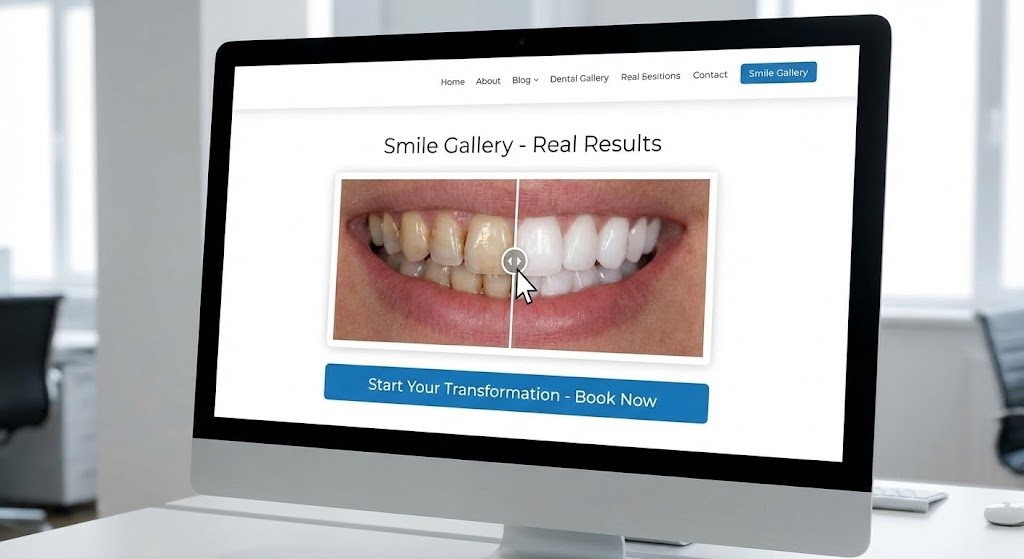
- Before & After Slider: A specialized element that lets patients drag a slider to see teeth transformation (huge conversion driver).
- Bold Builder: Uses a unique page builder that is fast and intuitive.
- Working Hours Widget: A smart widget that highlights whether you are currently “Open” or “Closed” based on the user’s time.
Pros: The Cost Calculator is a unique lead magnet; beautiful medical iconography. Cons: Uses a proprietary builder (Bold Builder) rather than Elementor, which has a slight learning curve.
4. Dentalia
Best For: User Experience (UX) and Conversion Optimization.
Overview: Dentalia is built with conversion in mind. Every element, from the color palette to the button placement, is designed to get the patient to call or book. It features large, readable fonts and high-contrast action buttons, making it excellent for older demographics (e.g., denture patients).
Booking Mechanism: It is fully compatible with the Booked plugin (often included for free). The theme allows you to place booking forms directly on the homepage hero section, reducing the number of clicks a patient needs to make to secure a slot.
Key Features:
- Team Management: A dedicated custom post type for managing dentist profiles, vital for building trust.
- Visual Composer: Uses the classic drag-and-drop builder many developers are familiar with.
- Medical Icons: Comes with a custom set of dental icons (implants, toothbrushes, braces) so you don’t have to buy stock icons.
Pros: Strong visual hierarchy; very easy to navigate for patients. Cons: The design is slightly more “traditional” than modern, minimal themes.
5. ProDent
Best For: Multi-clinic practices and robust functionality.
Overview: If you run a dental group with multiple locations, ProDent is a powerhouse. It is robust, scalable, and supports multi-language setups (WPML ready) if you serve a diverse community.
Booking Mechanism: ProDent fully supports Booked and works well with Calendarista. It allows for complex scheduling scenarios, such as filtering availability by specific doctors or specific clinic locations.
Key Features:
- Online Pharmacy Support: Full WooCommerce integration for selling dental products.
- Patient Portal Ready: The coding structure supports membership plugins if you want to create a portal for patients to view records (requires additional compliance plugins).
- Mobile Optimized Slider: The homepage slider is touch-swipe enabled, great for mobile users.
Pros: Extremely feature-rich; handles complex site structures well. Cons: Can be overwhelming for a solo dentist who just wants a simple 5-page site.
6. Mediz
Best For: Reliability and modern framework (GoodLayers).
Overview: Updated recently for late 2024/2025 standards, Mediz utilizes the GoodLayers custom framework, known for being incredibly stable. It has a very modern, “corporate medical” feel that works well for high-end cosmetic dentistry or oral surgeons.
Booking Mechanism: It comes with a customized appointment form and supports the standard booking plugins. However, its standout feature is the way it handles “Floating” booking buttons on mobile, ensuring the CTA is always visible.
Key Features:
- Page Builder Wrapper: Allows you to create custom skin colors for specific sections (e.g., a dark mode section for “Emergency Dentistry”).
- GDPR Tool: Includes a consent tool for cookies, essential for compliance in many regions.
- 19 Header Layouts: Gives you flexibility on where to put your logo, menu, and booking button.
Pros: High quality code; great support team; very polished look. Cons: The GoodLayers page builder is powerful but different from Elementor/Divi.
7. Bridge (Dental Clinic Demo)
Best For: Creative and visual practices (Orthodontics/Cosmetic).
Overview: Bridge is a legendary creative theme. Its “Dental Clinic” demo is surprisingly robust. It leans heavily on visuals—large photography, parallax scrolling, and elegant typography. If you are selling “smiles” and “confidence” rather than just “root canals,” this is the theme.
Booking Mechanism: Bridge integrates with Timetable Responsive Schedule plugin. It is great for showing availability visually. For direct booking, it pairs seamlessly with Contact Form 7 or gravity forms for appointment requests, or Amelia for direct injection.
Key Features:
- Qode Slider: Allows for cinematic video backgrounds (e.g., a slow-motion video of a smiling patient).
- Social Media Integration: Best-in-class Instagram feed integration to show off patient results.
- Transitions: Smooth animations that make the site feel premium and expensive.
Pros: Stunning design; huge library of elements (600+ demos). Cons: Can be complex to set up due to the sheer number of options.
8. Jevelin (Medical Demo)
Best For: Modern, sleek design and ease of use.
Overview: Jevelin offers a “Medical” demo that is incredibly clean and approachable. It uses whitespace effectively to make the site feel hygienic and organized. It’s a multipurpose theme, but the medical application is well-thought-out.
Booking Mechanism: It utilizes a contact-form-based booking request system out of the box but is fully compatible with the WooCommerce Bookings extension if you want to take payments (deposits) for appointments online.
Key Features:
- Unyson Framework: A drag-and-drop builder that is user-friendly for beginners.
- SEO Friendly: coded with SEO best practices in mind (headings, hierarchy).
- RTL Support: Ready for Right-to-Left languages, useful for clinics in specific global regions.
Pros: Very modern look; easy for non-techies to edit. Cons: Lacks some of the niche “Dental” icons found in Dentalia or DentiCare.
9. Avada (Dentist Demo)
Best For: The “Safe Bet”—Reliability and Stability.
Overview: Avada is the #1 selling WordPress theme of all time. Why? Because it works, and it rarely breaks. The Dentist demo is professional and corporate. If you want a site that will last for 5 years without major issues, Avada is the choice.
Booking Mechanism: Avada creates a seamless ecosystem. It integrates with almost any booking calendar. Its “Avada Forms” builder is powerful enough to create complex intake forms that can be sent securely to your email, acting as a preliminary booking step.
Key Features:
- Fusion Builder: A very mature, stable page builder.
- Performance Wizard: A tool built into the theme that helps you optimize images and code for speed.
- Dynamic Content: You can pull custom fields into your layouts (advanced feature for developers).
Pros: Incredible support; massive documentation; unbreakable stability. Cons: Can suffer from “bloat” if you enable too many features you don’t use.
10. Neve (Dental Template)
Best For: Mobile-First approach and Local SEO.
Overview: Neve is built with a “Mobile First” philosophy. Since most patients will find you on their phone while in pain, Neve ensures your site loads instantly on 4G networks. The design is minimalist but highly effective.
Booking Mechanism: Neve is lightweight and doesn’t force a booking system on you, which is actually a pro. It provides a blank canvas to install Amelia or Simply Schedule Appointments without script conflicts. It serves as a fast wrapper for your booking engine.
Key Features:
- AMP Compatible: Ready for Accelerated Mobile Pages (Google loves this).
- White Label: If you are an agency building for a dentist, you can hide the theme name.
- One-Click Import: Get the demo site up in 60 seconds.
Pros: The best performance on mobile devices; very clean code. Cons: Design is very simple; requires good photography to make it pop.
If Your Theme Doesn’t Have Booking: The Plugin Solution
Top Booking Plugins to Supercharge Your Dental Site
Sometimes you fall in love with a theme’s design (like Astra or Neve) but it lacks a native scheduling engine. No problem. In 2025, the best booking functionality comes from plugins. Here are the top 3 compatible with the themes above:
1. Amelia (The “Apple” of Booking Plugins)
- Why it wins: It has the most beautiful, modern user interface. It looks great on mobile and requires zero training for patients to use.
- Best feature: “packages” support (e.g., booking a series of 3 whitening sessions).
- Compliance: Offers GDPR compliant features.
- Why it wins: Deep customization. You can customize every step of the booking form.
- Best feature: SMS notifications. It connects with gateways like Twilio to send “Don’t forget your appointment tomorrow!” texts automatically.
- Staff Sync: Syncs perfectly with Google Calendar, so your dentists can see appointments on their personal phones.
- Why it wins: Cloud-based integration. It puts less load on your website server because the booking logic is handled in the cloud.
- Best feature: Very strong integration with Stripe for taking deposits (crucial for reducing no-shows for expensive procedures).
Essential Pages Every Dental Site Needs (SEO Check)
Structuring Your Site for Local SEO Dominance
A great theme is only the container; the content is what ranks you. To maximize the booking potential of your new theme, ensure you build these specific pages:
1. Granular Service Pages (Not just a list!) Don’t just have a “Services” page with a bulleted list. Google ranks specific pages. Create separate pages for:
- “Invisalign & Orthodontics”
- “Root Canal Therapy”
- “Emergency Dentistry”
- “Teeth Whitening”
- Why? When someone searches “Root canal near me,” Google wants to serve a dedicated page about root canals, not a generic homepage.
2. The “Dr. Bio” Page (E-E-A-T) Google’s algorithm looks for Expertise, Authoritativeness, and Trustworthiness. A detailed bio page for each dentist, listing their education, certifications (e.g., ADA member), and years of experience, sends strong trust signals to Google.
3. The “New Patient” Page This is a logistics page. Include downloadable PDF intake forms (HIPAA compliant), insurance information, and a clear “First Visit: What to Expect” guide. This reduces anxiety for new patients.
4. Emergency Dentistry Page This is your highest conversion page. Patients landing here are in pain and need help now.
- Design Tip: Use your theme to strip away the clutter on this page. Put a massive “Click to Call” button and a “Book Emergency Slot” widget right at the top.
Conclusion
Summary Your dental clinic’s website is no longer just a digital brochure; it is the most efficient member of your administrative team. By choosing a WordPress theme with integrated booking capabilities, you bridge the gap between patient intent and a confirmed appointment.
Final Verdict
- For the “Complete Beginner”: Choose Astra. It’s fast, free to start, and pairs easily with any booking plugin. You can’t break it.
- For the “Design Perfectionist”: Choose Divi. If you have a specific vision for your brand and want pixel-perfect control, Divi is the only choice.
- For the “Niche Specialist”: Choose DentiCare. If you want a site that looks like a high-end medical clinic out of the box with cost estimation tools, this is the winner.
Call to Action Don’t let another patient click away to a competitor because they couldn’t book a slot on Sunday night. Ready to fill your calendar? We recommend starting with Astra + Amelia plugin for the perfect balance of speed and functionality.
Frequently Asked Questions (FAQ)
FAQs About Dental WordPress Themes
1. Do I need to know how to code to use these themes? No. All the themes listed (Divi, Astra, DentiCare, etc.) use “Page Builders” (like Elementor or WPBakery). Editing your site is as easy as dragging and dropping elements and typing text into boxes.
2. How do I ensure my booking form is HIPAA compliant? The theme itself is just the visual layer. To be HIPAA compliant, you must use a booking plugin (like Amelia Enterprise or a connected CRM) that supports HIPAA standards, and ensure your web hosting provides a BAA (Business Associate Agreement). Do not store patient health info (PHI) in standard WordPress contact forms.
3. Can I sync these themes with my practice management software (e.g., Dentrix/Eaglesoft)? Direct integration between WordPress and legacy software like Dentrix is difficult. Pro Tip: Most clinics use a “bridge.” They use the WordPress booking plugin to capture the request, and then the front desk manually enters it into Dentrix, OR they use a third-party service like LocalMed or Zocdoc that embeds into the WordPress theme.
4. How much does a premium dental theme cost? Most premium themes on this list cost between $59 and $89 (one-time fee). However, you may need to pay annual fees for premium booking plugins (like Bookly), which can range from $50 to $100/year. Considering one new patient covers this cost, the ROI is massive.
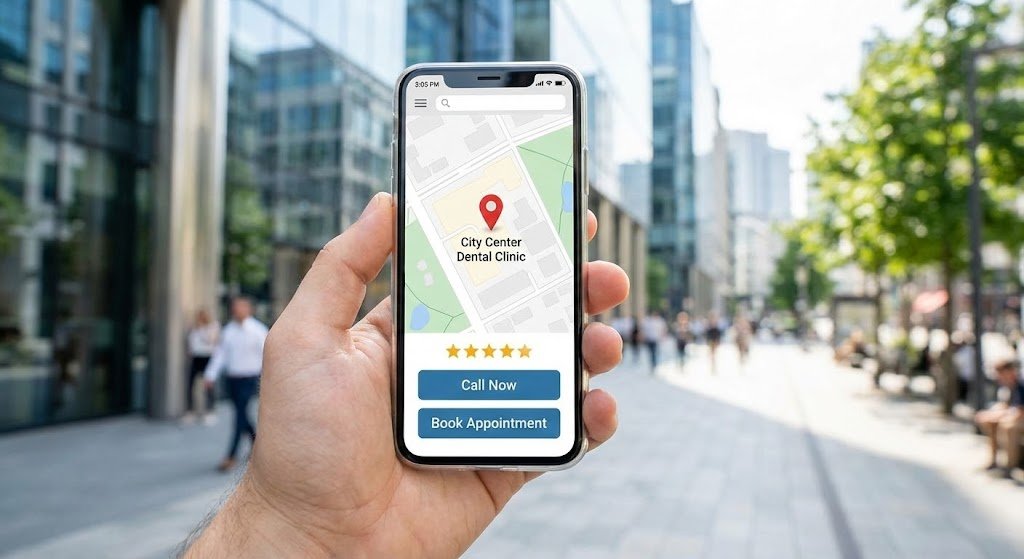
5. Why is “Mobile Responsiveness” so important for dentists? Over 60% of “emergency” dental searches happen on mobile devices. If a patient breaks a tooth, they grab their phone. If your site is hard to read or the booking button doesn’t work on a touchscreen, you lose that patient instantly. All themes in this guide are mobile-optimized.